Documentation
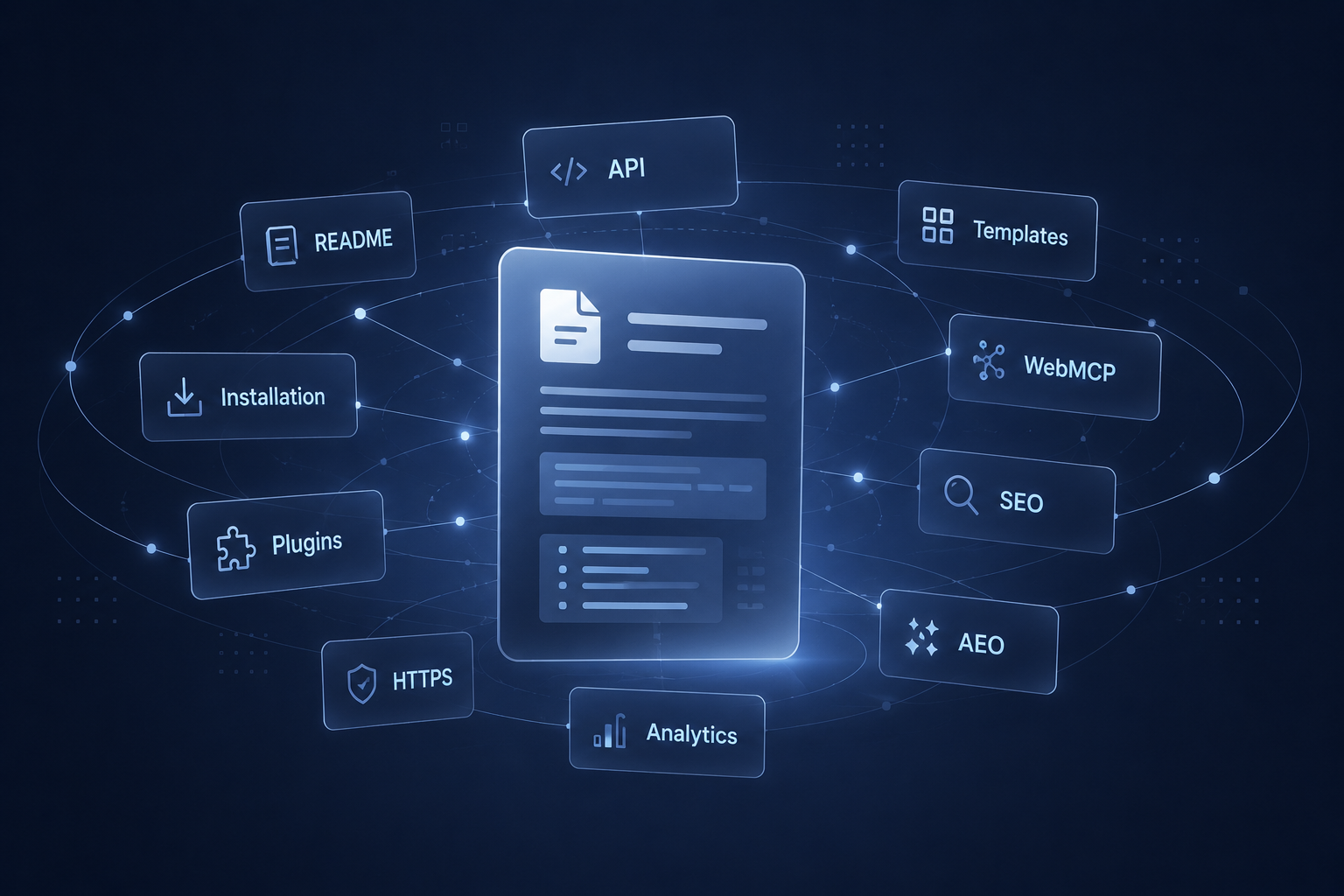
AliothPress is a self-hosted CMS built for multilingual websites. Every piece of content (posts, pages, forms, menus, newsletters, legal pages) can be created in one language and translated into any of the 31 supported languages, with full SEO, AEO, and hreflang support out of the box.
The entire admin interface is also translated into all 31 languages, so each team member can work in their preferred language.
Built with Python/Flask. Runs on SQLite or PostgreSQL. Installs in 5 minutes without touching a terminal.
The core covers a complete website on its own. Plugins are never required to fill gaps. For projects that need to go further, AliothPress ships an installable plugin system and custom theme support, both managed entirely from the admin panel.
Highlights
- Multilingual CMS: 31 Languages. Content, admin panel, legal pages, setup wizard, and public UI are all fully translated
- AI Assistant: generate content, translate, optimize SEO. Supports Anthropic Claude, DeepSeek, and Google Gemini
- No Terminal Required: paste a cloud-init script when creating your server, open the browser, done
- Visual Page Builder: 21 block types: text, images, columns, galleries, slideshows, logo ticker, tables, accordions, forms, and more
- SEO & AEO out of the box: Schema.org
@graph, FAQPage schema, Speakable,/llms.txt, answer-first AI content, optimized for both search engines and AI answer engines - Automatic Image Optimization: every upload generates responsive WebP + AVIF variants, OG/Social crops, and dominant color placeholders
- 15 Designer Themes: each with dark and light mode, switchable from the admin panel
- Plugins & Custom Themes: install plugins and themes from a ZIP in the admin panel; one-click plugin updates with changelogs, paid plugins carry their own license, third-party development is open and documented
- Smart Content Protection: automated cleanup of references when content is deleted, automatic 301 redirects when slugs change
- Built-in Security: CSRF, rate limiting, brute-force protection, optional two-factor authentication, HTML/SVG sanitization, security headers, encrypted credentials
- Privacy-First & GDPR-Ready: zero third-party requests by default, self-hosted fonts and a built-in editor (AliothEditor), facade pattern for video embeds (no cookie banner required for the default configuration)
- Verified Accessibility: 100/100 Accessibility score in Google PageSpeed Insights across all 15 themes in both light and dark modes
- Fully Responsive: mobile-first design across admin panel and public site
Features
Content Management
- Posts & Pages with AliothEditor, a built-in rich text editor with three synchronized tabs (Visual / Markdown / HTML)
- Draft / Published status workflow with live preview before publishing
- Tags & Categories with dedicated hub pages
- Excerpts and Featured Images with alt text and captions
- Author profiles with display name, bio, and avatar (Schema.org compatible)
- Canonical URLs to prevent duplicate content
- FAQ editor per post/page: generates visible FAQ accordion and FAQPage schema for AI citation
- Show/hide author and date per post/page: metadata always present in HTML for search engines
Multilingual System
- 31 languages: English, German, French, Spanish, Portuguese, Italian, Dutch, Swedish, Danish, Norwegian, Finnish, Polish, Czech, Slovak, Hungarian, Romanian, Croatian, Bulgarian, Greek, Turkish, Ukrainian, Russian, Arabic, Hebrew, Hindi, Thai, Vietnamese, Indonesian, Chinese, Japanese, Korean
- Translation groups: link posts, pages, forms, and newsletters across languages with a UUID-based system
- Per-language menus: header and footer menus automatically resolve to the visitor's language
- hreflang tags in HTML and sitemap for proper international SEO
- Language switcher on the public site
- Per-user admin language: each team member chooses their own interface language
- Default legal pages created in the selected language during setup (Privacy Policy, Legal Notice, Accessibility)
Visual Page Builder
A block-based page builder with drag-and-drop for pages with live preview. 21 block types:
- Basic: Heading, Text, Image, Button, Divider, Spacer
- Structure: Columns (1-4), Section with background
- Media: Video, Gallery, Video Gallery, Audio, Slideshow, Logo Ticker
- Advanced: Quote, Table, Accordion/FAQ, Tabs, HTML, Code, Form
- AI can generate entire page layouts as blocks from a text prompt
AI Assistant
AI Assistant supports three providers. Configure one or all, switch between them at any time:
- Anthropic Claude (default)
- DeepSeek
- Google Gemini
AI capabilities from the admin panel:
- Generate content: describe what you need, get a full post or page with SEO metadata and FAQ pairs for AI citation
- Translate content: AI-powered translation linked as a new language version
- Optimize SEO: generate meta titles, descriptions, keywords, and Open Graph data
- Generate page layouts: AI creates page builder blocks from a description
- Conversational mode: refine results through follow-up instructions
- API keys are stored encrypted (Fernet symmetric encryption)
Agent Access (WebMCP)
Agent Access through WebMCP optionally let AI agents (such as agentic browsers) use your site as structured, callable tools instead of guessing from the page. Built on the WebMCP browser standard (navigator.modelContext / document.modelContext). Off by default, switched on by the owner from the AI Assistant page, and a silent no-op on browsers without the API.
- Public content search: a machine-readable
/api/public/searchso agents can ask "what do you have about X" and get titles, URLs, and snippets in one call; covers posts, pages, page builder blocks (including accordion/FAQ), categories, and tags. Open to any agent without a token, like/llms.txtand the sitemap; rate-limited - Public form tools: agents can read a form's fields and fill & submit it, reusing the existing submission endpoint (honeypot, rate limiting, and validation stay server-side)
- Admin tools: generate, translate, optimize SEO, list and search content, create posts, pages, and visual page builder pages, build menus, and navigate. Each runs in the signed-in user's session, so existing permissions and CSRF still apply
- Human-in-the-loop: every write asks for confirmation before it happens; reads never do
- Dormant by default: nothing renders until enabled; turn it off to revoke instantly. Submissions and other visitor PII are never exposed to agents
- Origin trial ready: paste your Chrome Origin Trial token to run it for real visitors in production
- Discovery manifest:
/.well-known/webmcpadvertises what the site can do
Media Library
- Automatic image processing on upload: resize to max dimension, strip EXIF metadata, auto-rotate
- Responsive variants: WebP and AVIF at multiple breakpoints (400w, 800w, 1200w, 1920w)
- OG/Social crops: 1200×630 variants in WebP, AVIF, and JPG for Facebook, LinkedIn, Twitter
- Dominant color extraction for CSS placeholders (prevents Cumulative Layout Shift)
- srcset generation for
<picture>elements: serve the right format and size to every device - SVG sanitization: script tags, event handlers, and dangerous elements are stripped on upload
- Metadata editing: title, caption, description, alt text
- Grid view with search and pagination
File Manager
Separate from the media library, for documents and downloads:
- Supported formats: PDF, DOC/DOCX, XLS/XLSX, ZIP, RAR, TXT, CSV
- Clean download URLs via slugs (e.g.,
yoursite.com/report.pdf) - Title, description metadata
- File type icons and human-readable sizes
- Search and pagination
Form Builder
- Field types: text, email, phone, number, textarea, select, radio, checkbox, date, URL, hidden, rating, consent
- Honeypot anti-spam protection
- Double opt-in email confirmation with tokenized links
- Email notifications on submission (SMTP)
- Submission management: view, filter by status (new/read/archived/spam), bulk delete
- CSV export of submissions
- IP-based rate limiting per form
- Forms are multilingual: same translation group system as posts/pages
- Embed forms into pages via the page builder or custom HTML
Newsletter
- Rich HTML editor for campaign content
- Audience targeting: by language, by source form, with email exclusions
- CSV import for external subscriber lists
- Test send before broadcasting
- Campaigns are sent only to subscribers who verified their email address
- Unsubscribe links with HMAC-signed tokens (tamper-proof)
- Multilingual campaigns: same translation group system
- Subscribers come from form submissions. No separate subscriber model needed
SEO, AEO & Performance
- Full meta tag control per post/page: meta title, description, keywords
- Open Graph tags: og:title, og:description, og:image, og:type
- Twitter Card tags: twitter:card, twitter:title, twitter:description, twitter:image
- Schema.org
@graph: interconnected Organization, Person, and Article entities withsameAslinks to Wikipedia, Wikidata, LinkedIn, and social profiles for AI entity verification - FAQPage schema: auto-generated from FAQ editor and Page Builder accordion blocks
- Speakable schema: marks key content as suitable for voice assistants and AI answer extraction
/llms.txt: auto-generated AI-friendly site summary following the llmstxt.org standard, with multilingual content grouped by language- Answer-first AI content: AI Assistant generates content with direct answers in the first 150 words, optimized for AI citation
- Automatic XML sitemap with hreflang alternate links and XSL stylesheet
- Editable robots.txt from the admin panel (AI crawlers allowed by default, llms.txt auto-linked)
- RSS/Atom feeds with multilingual support (
/feed,/feed/de,/feed/es) - Automatic 301 redirects when a post or page slug is changed. Redirect chains are flattened (A→B→C becomes A→C + B→C)
- Smart cache headers: immutable for static files, short cache with CDN support for public pages, no-cache for admin
- Static file cache busting: automatic
?v=timestamp parameter on CSS/JS/images - Automatic cleanup of broken references: when you delete an image, file, form, or page, all references to it in other content (posts, pages, page builder blocks, menus) are automatically removed
Themes
- 15 designer themes included, each with dark and light mode
- Default display mode: dark, light, or auto (follows system preference)
- Theme preview images in the admin panel
- Themes are pure CSS: no build step, no JavaScript framework required
- Theme descriptions are translated via i18n
- Custom themes: upload a theme ZIP in the admin panel and it appears in the gallery instantly, no restart
- Custom themes survive core updates and can be deleted from the gallery; built-in themes are protected from accidental deletion
Plugins
- Install Plugin from ZIP in the admin panel: no terminal, no file manager
- One-click updates: the admin panel checks the update server for plugin updates daily (and on demand); a new version shows its changelog right on the plugin card and installs with a checksum-verified click, keeping settings and data
- Enable, disable, update, and delete plugins from the Plugins page; state changes trigger the same graceful automatic restart as core updates
- Plugins run on licensed installations: the existing CMS license covers all free and self-built plugins
- Paid plugins carry their own license key (one key per domain, dev domains exempt), validated against the same license server as the core
- Open to third-party developers: a plugin is a folder with a manifest and one
register(ctx)function; it can add admin pages, database tables, settings, and translations under its own namespace - Ships with a documented Hello World example plugin and a
PLUGIN_DEV.md(plugin development guide) reference min_cms_versionis enforced with a clear message instead of a cryptic failure- Core updates never touch installed plugins: the plugins directory is protected, so a CMS update and a plugin update stay independent; the ZIP form doubles as a manual update path
Menus
- Two locations: header, footer
- Hierarchical menus with parent-child relationships (submenus)
- Link to posts, pages, or custom/external URLs
- Per-language labels: each menu item can have a different label per language (JSON-stored)
- Automatic language resolution: when a visitor views a German page, menu links to posts/pages resolve to their German translations if available
- Drag-and-drop ordering
- Active/inactive toggle, CSS class support, target (
_self/_blank)
User Management
- Three cms user roles: Owner (site creator), Admin (full access), Editor (content only)
- Email invitations with tokenized signup links and expiry
- Password policy: configurable minimum length, uppercase, lowercase, digit requirements
- Password reset via email with time-limited tokens
- Account deactivation without deletion
- Session invalidation on password change (version counter forces re-login)
- Per-user admin theme preference: light, dark, or system
- Author profiles: display name, bio, avatar URL, LinkedIn/website/GitHub links (used in Schema.org
sameAsfor AI entity verification)
Security
- CSRF protection on all forms (Flask-WTF, token valid for the entire 12-hour session, so long editing sessions never fail on save)
- Rate limiting (Flask-Limiter): 200 req/min global, stricter limits on login, AI, SSL, and form endpoints
- Brute-force protection: 5 failed logins per IP+username pair or 20 per IP within 15 minutes block further attempts
- Two-factor authentication (optional): TOTP codes for any authenticator app (RFC 6238, standard library only, no external services); off by default, enabled site-wide by the owner, per-user opt-in from the profile
- 2FA recovery: hashed one-time recovery codes, sign-in codes by email as a fallback, admin reset from the Users page, and a break-glass file (DISABLE_2FA) for a locked-out solo owner
- HTML sanitization on all editor content (bleach, allowlisted tags and attributes)
- SVG sanitization: strips
<script>, event handlers,javascript:URLs,<foreignObject>, external references - Security headers: X-Frame-Options, X-Content-Type-Options, X-XSS-Protection, Referrer-Policy, Permissions-Policy, HSTS
- Open redirect prevention: next-URL validation on login
- Encrypted credential storage: SMTP passwords, API keys, and license keys encrypted with Fernet (derived from SECRET_KEY)
- License integrity verification: HMAC signature prevents database tampering
- Audit log: every significant admin action is recorded with user, IP, timestamp, and translated details
- Session security: HTTP-only cookies, SameSite=Lax, 12-hour lifetime
Backup & Restore
- One-click backup from the admin panel, creates a ZIP archive with:
- Database dump (SQLite file or PostgreSQL
pg_dump) - All uploaded files (images, documents, favicons)
- Installed plugins (their settings and data are in the database dump)
.envconfiguration (with sensitive values automatically masked)
- Database dump (SQLite file or PostgreSQL
- Restore from backup: upload a ZIP archive and the site is restored in full: database, uploads, and configuration
- Supports both SQLite and PostgreSQL backup/restore
Favicon Generator
- Upload favicon from the admin panel
- Automatic generation of all required sizes and formats
- Supports ICO, PNG, SVG source files
SSL / HTTPS
- One-click Let's Encrypt setup from the admin panel
- Domain validation with DNS check
- Delegated to a secure system script (Flask never writes nginx config directly)
- Rate limited (5 per hour)
- Logged to audit log
Licensing & Updates
- Free for non-commercial use: personal sites, blogs, educational projects, non-profits
- License key required for commercial use: one key per domain
- Licensed sites get: no "Powered by" attribution, automatic updates
- Built-in update system: check for updates and apply them from Settings
- License validation against update server with periodic re-checks (every 7 days)
- Tamper-evident license storage (HMAC-signed)
Privacy & GDPR
AliothPress is built privacy-first and ships with zero third-party requests by default. This is a deliberate design choice to make the CMS easy to deploy in jurisdictions with strict data protection regulations, particularly the EU (GDPR, ePrivacy), Germany (TDDDG), the UK (UK GDPR), and Switzerland (revDSG).
Zero external requests on page load. A default AliothPress site makes no HTTP requests to any third-party domain when a visitor opens a page. No Google Fonts, no CDN scripts, no analytics trackers, no embed iframes. This means:
- No visitor IP addresses are shared with third parties without explicit consent
- No cookie consent banner is required for the default configuration
- No Data Processing Agreements (DPAs) needed beyond your own hosting provider
Self-hosted assets:
- Web fonts: 12 font families are served per-subset from
/static/fonts/as WOFF2 files. Browsers download only the glyph subsets actually used on each page. Zero requests to Google Fonts, Adobe Fonts, or any font CDN. This follows the guidance from the LG München I Google Fonts ruling (Az. 3 O 17493/20, January 2022), which established that sending visitor IP addresses to Google Fonts without consent is a GDPR violation. - Rich text editor (AliothEditor): the editor is built into the engine itself: three synchronized tabs (Visual / Markdown / HTML), Markdown↔HTML conversion via self-hosted
marked+turndown(static/js/vendor/), themed by the live admin palette. Zero external requests: no CDN, no telemetry, no API keys. - Syntax highlighting (Prism.js): Self-hosted at
/static/js/prism/. Nocdnjscalls. - Images: All images uploaded through the media library are processed server-side (resized, EXIF-stripped, converted to WebP/AVIF) and served from your own domain. No image CDNs.
- Favicons & admin icons: Inline SVG or self-hosted. No icon fonts from CDNs.
Video embeds (YouTube / Vimeo): facade pattern. Embedded videos use a privacy-preserving two-click approach:
- On initial page load, the visitor sees a locally-cached thumbnail served from your own domain. Zero requests to
youtube.com,youtube-nocookie.com,i.ytimg.com,vimeo.com, orplayer.vimeo.com. - The video iframe is loaded only after the visitor explicitly clicks the play button, which constitutes active consent under GDPR Art. 6(1)(a) and §25 TDDDG.
- Thumbnails are fetched server-side once from the provider's official oEmbed endpoint, cached on disk in
/static/uploads/video-thumbs/, and served as regular static files with long cache headers.
Video titles that appear in the admin panel (auto-fetched on paste) also go through the server. The admin's browser never talks directly to Google or Vimeo. This approach follows the recommendations of German data protection authorities (DSK, BayLDA, LfDI Baden-Württemberg) for embedding third-party video content without requiring a cookie consent banner for the video block itself.
AI Assistant: When enabled, AI requests are made server-to-server from your server to the configured provider (Anthropic Claude, DeepSeek, or Google Gemini). Visitor IP addresses and browser data are never forwarded to the AI provider. API keys are stored encrypted (Fernet symmetric encryption derived from SECRET_KEY).
Forms: No third-party CAPTCHA (no Google reCAPTCHA, no hCaptcha). Spam protection is handled via honeypot fields and IP-based rate limiting, both fully self-contained. Double opt-in email confirmation uses HMAC-signed tokens generated on your own server.
Analytics are opt-in. Google Analytics, Tag Manager, and custom analytics code are all off by default. Add your analytics in Settings and switch on the built-in consent banner with one checkbox. Google Analytics and Tag Manager then load inert as type="text/plain" and run only after the visitor clicks accept. The consent layer stores the choice in localStorage and sets no cookies itself. Custom code is inserted exactly as you entered it and stays yours to gate. With analytics left off, the default site shows no banner and no tracker.
Audit log: Records admin actions (user, IP, timestamp, translated action description) for security purposes. Contains no visitor data and is accessible only to admin users.
For site operators
AliothPress provides a technical guarantee about how the software behaves. The responsibility to publish an accurate Datenschutzerklärung (privacy policy) on your live site still rests with you as the site operator.
Note: The description above is a technical statement about how the software behaves, not legal advice. For production deployment in a commercial context, consider a one-time review by a qualified IT law attorney.
Accessibility
- All 15 designer themes tested for accessibility in both light and dark modes
- 100/100 Accessibility score in Google PageSpeed Insights across all 15 themes in both modes
- Self-hosted fonts and icons: no external CDNs, no font-swap layout shifts
prefers-reduced-motionrespected: disables slideshow autoplay, ticker scroll, and scroll-triggered animationsprefers-color-schemedrives automatic dark/light mode when the theme default is "auto"- Keyboard navigation in custom components: video facade (native
<button>), slideshow (arrow keys), lightbox (Escape), accordion (native<details>) <html lang="">set per page based on content language;hreflangalternates in HTML and sitemap- RTL layout for Arabic and Hebrew content
Installation
AliothPress installs without a terminal. Create a cloud server (Hetzner, DigitalOcean, Linode, Vultr), paste the provided cloud-init script, and open your browser. The Setup Wizard handles everything else:
- Choose your language
- Choose a database (SQLite for simplicity, PostgreSQL for scale)
- Create your admin account
- Name your site and enter your license key (optional)
See the Installation Guide for detailed step-by-step instructions with screenshots.
Server requirements: Ubuntu Server (LTS recommended), 2 vCPU, 4 GB RAM. Runs on any standard VPS, for example Hetzner, DigitalOcean, Linode, or Vultr.
Project Structure
aliothpress/
├── app.py                          # Application core — routes, logic, API
├── config.py                       # Configuration (DB, uploads, image processing, security)
├── models.py                       # Database models (14 models)
├── block_renderer.py               # Page builder block rendering engine
├── webmcp.py                       # WebMCP — agent discovery manifest, public content search, agent endpoints
├── twofa.py                        # Optional two-factor authentication (TOTP, recovery codes)
├── schema_org.py                   # Schema.org JSON-LD graph builders (SEO structured data)
├── i18n.py                         # Internationalization system
├── updater.py                      # License validation & update system
├── migrate.py                      # Cumulative database migrations (run automatically during updates)
├── plugin_system.py                # Plugin system — discovery, license gating, ZIP install, admin UI
├── PLUGIN_DEV.md                   # Plugin development reference (ships with every install)
├── install.py                      # Installation helpers
├── requirements.txt                # Python dependencies
│
├── plugins/                        # Installed plugins (protected from core updates)
│   └── hello_world/                # Example plugin — copy it to start your own
│       ├── plugin.json             # Manifest
│       ├── __init__.py             # register(ctx) entry point
│       └── i18n/                   # Plugin translations (en, de, es)
│
├── .env                            # Environment variables (secrets, DB URI)
├── .env.example                    # Example environment file
│
├── static/
│   ├── js/
│   │   ├── public.js               # Public site scripts
│   │   ├── page-builder-public.js  # Page builder frontend rendering
│   │   ├── admin-image-picker.js   # Shared media library picker (admin)
│   │   ├── webmcp-core.js          # WebMCP engine — tool registry, lifecycle, CSRF, i18n
│   │   ├── webmcp-admin.js         # WebMCP admin tools (content, builder pages, menus, search)
│   │   ├── webmcp-public.js        # WebMCP public tools (site search, form fill & submit)
│   │   ├── alioth-editor.js        # AliothEditor — built-in rich text editor (Visual / Markdown / HTML)
│   │   ├── vendor/                 # Self-hosted third-party libs (marked, turndown + GFM, qrcode)
│   │   └── prism/                  # Self-hosted Prism.js (syntax highlighting)
│   │
│   ├── css/
│   │   ├── core.css                # Core styles
│   │   ├── admin.css               # Admin panel styles
│   │   ├── components.css          # UI components
│   │   ├── typography.css          # Typography system
│   │   ├── responsive.css          # Responsive breakpoints & mobile styles
│   │   ├── setup.css               # Setup wizard styles
│   │   ├── page-builder-blocks.css # Page builder block styles
│   │   ├── page-builder-editor.css # Page builder editor UI
│   │   ├── alioth-editor.css       # AliothEditor styles (admin --adm-* tokens, light & dark)
│   │   └── themes/                 # 15 designer themes
│   │       ├── stellar-origin/
│   │       │   ├── theme.css       # Theme styles (dark + light mode)
│   │       │   └── preview.svg     # Theme preview image
│   │       └── ... (14 more themes)
│   │
│   ├── i18n/
│   │   ├── en.json                 # English admin translations
│   │   ├── public.json             # Public site translations
│   │   ├── setup.json              # Setup wizard translations
│   │   ├── default_pages.json      # Default legal page content
│   │   └── ... (30 more language files — 31 languages total)
│   │
│   ├── legal/
│   │   ├── eula_en.html            # EULA in English
│   │   └── ... (30 more languages — 31 EULA files total)
│   │
│   ├── img/
│   │   └── ...                     # Admin UI icons and static assets
│   │
│   ├── fonts/                      # Self-hosted web fonts (per-subset WOFF2, GDPR-friendly)
│   │   ├── inter/
│   │   ├── outfit/
│   │   └── ... (12 font families, split by subset — browsers download only what's used)
│   │
│   ├── uploads/
│   │   ├── favicon/                # Uploaded favicon files
│   │   └── files/                  # Uploaded documents (PDF, DOCX, etc.)
│   │
│   └── sitemap.xsl                 # XSL stylesheet for XML sitemap
│
└── templates/
    ├── setup.html                  # Installation wizard
    │
    ├── components/
    │   └── admin-bar.html          # Admin toolbar component
    │
    ├── admin/
    │   ├── base.html               # Admin layout base template
    │   ├── dashboard.html          # Dashboard with stats overview
    │   ├── login.html              # Login page
    │   ├── login_2fa.html          # Second sign-in step (2FA code entry)
    │   ├── settings.html           # Site settings (identity, SEO, AEO, social, email)
    │   ├── themes.html             # Theme browser & activation
    │   ├── menus.html              # Menu editor (header, footer, sidebar)
    │   ├── ai.html                 # AI Assistant settings & tools
    │   ├── tools.html              # SEO & AEO tools (sitemap, robots.txt, llms.txt)
    │   ├── users.html              # User management & invitations
    │   ├── profile.html            # User profile editor
    │   ├── twofa_setup.html        # 2FA setup (QR code, first code check)
    │   ├── twofa_recovery.html     # One-time recovery codes shown after setup
    │   ├── audit_log.html          # Security audit log viewer
    │   ├── backup.html             # Backup & restore
    │   ├── accept_invite.html      # Team invitation acceptance
    │   ├── forgot_password.html    # Password reset request
    │   ├── reset_password.html     # Password reset form
    │   │
    │   ├── posts/
    │   │   ├── list.html           # Posts list with search & filters
    │   │   ├── new.html            # Create new post
    │   │   ├── edit.html           # Edit post (with SEO panel)
    │   │   └── translate.html      # Translation editor
    │   │
    │   ├── pages/
    │   │   ├── list.html           # Pages list
    │   │   ├── new.html            # Create new page
    │   │   ├── edit.html           # Edit page
    │   │   ├── translate.html      # Translation editor
    │   │   └── builder.html        # Visual page builder
    │   │
    │   ├── forms/
    │   │   ├── list.html           # Forms list
    │   │   ├── new.html            # Create new form
    │   │   ├── edit.html           # Edit form & fields
    │   │   ├── submissions.html    # Form submissions list
    │   │   └── submission_detail.html  # Individual submission view
    │   │
    │   ├── newsletter/
    │   │   ├── list.html           # Newsletter campaigns list
    │   │   ├── new.html            # Create new campaign
    │   │   ├── edit.html           # Edit campaign content
    │   │   └── translate.html      # Translation editor
    │   │
    │   ├── media/
    │   │   ├── library.html        # Media library grid view
    │   │   ├── upload.html         # Image upload
    │   │   ├── edit.html           # Image metadata editor
    │   │   └── favicon.html        # Favicon manager
    │   │
    │   └── files/
    │       ├── list.html           # File manager list
    │       ├── upload.html         # File upload
    │       └── edit.html           # File metadata editor
    │
    └── public/
        ├── base.html               # Public site base layout
        ├── index.html              # Homepage (post listing)
        ├── post.html               # Single post template
        ├── page.html               # Single page template
        ├── tag.html                # Posts filtered by tag
        ├── tags_hub.html           # All tags overview
        ├── categories_hub.html     # All categories overview
        ├── message.html            # System messages (confirmation, unsubscribe)
        └── 404.html                # Custom 404 page
License
AliothPress is proprietary software. Free for non-commercial use. A license key is required for commercial use. See the End-User License Agreement for full terms.
Tech Stack
- Backend: Python 3, Flask, SQLAlchemy, Flask-Login, Flask-WTF, Flask-Limiter
- Database: SQLite (default) or PostgreSQL
- Image Processing: Pillow (WebP, AVIF, resize, EXIF strip, color extraction)
- Editor: AliothEditor (built-in; Visual / Markdown / HTML tabs, MD↔HTML conversion, Prism-ready code blocks)
- AI: Anthropic, DeepSeek, Google Gemini APIs (HTTP, no SDK dependency)
- Security: bleach, cryptography (Fernet), HMAC, Werkzeug (scrypt password hashing)
- Frontend: Vanilla JS, CSS custom properties, no framework dependency
Supported Languages
Admin interface, public UI, legal pages, and setup wizard are all fully translated:
ar bg cs da de el en es fi fr he hi hr hu id it ja ko nb nl pl pt ro ru sk sv th tr uk vi zh