Install AliothPress CMS Without a Terminal
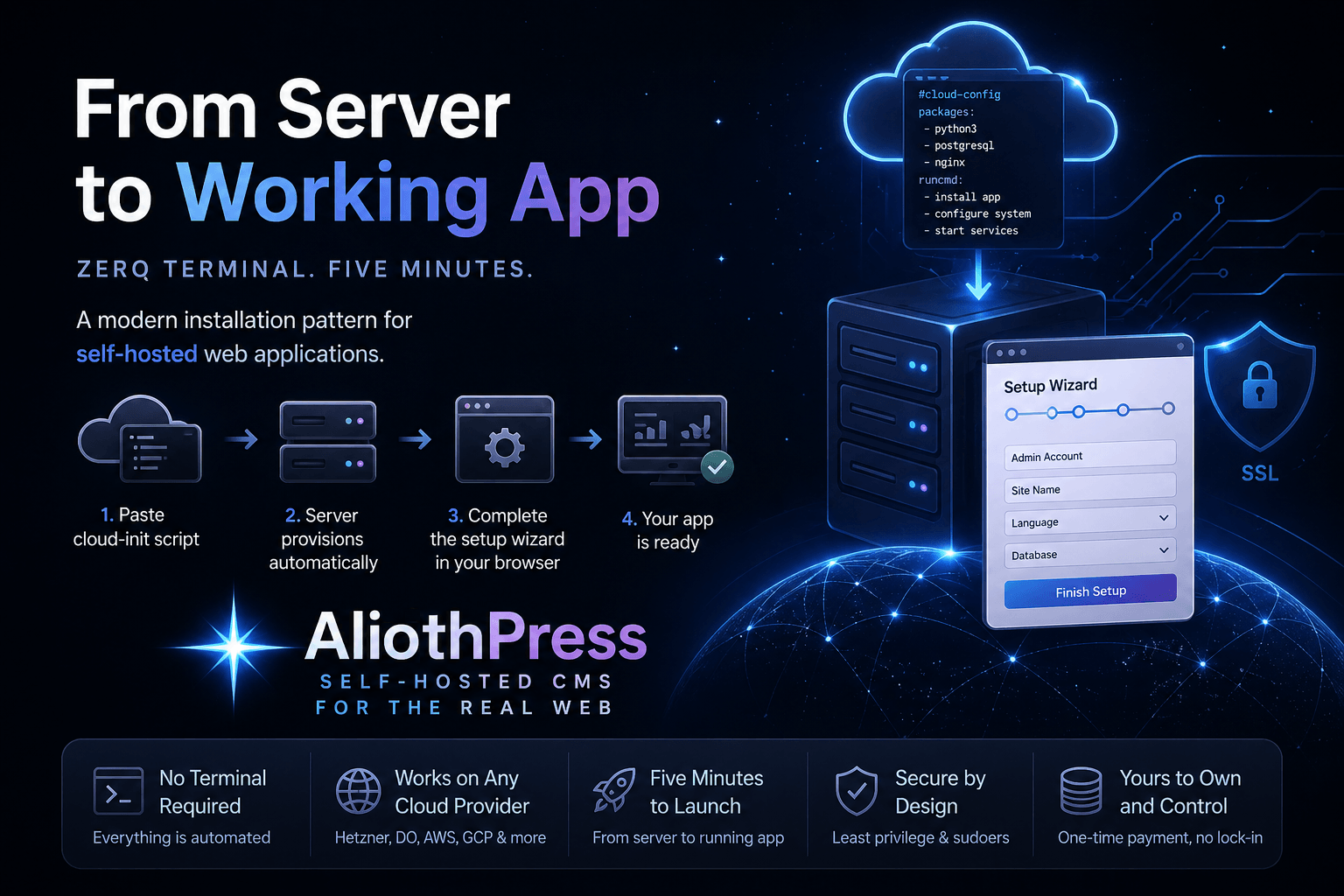
AliothPress installs without a terminal, without a command line, and without server experience. The whole process is: create a cloud server, paste one script into the provider's cloud-init field, open your browser, and finish a four-step setup wizard. HTTPS with a free auto-renewing certificate is one click in the admin panel afterwards. You’ll find the step-by-step walkthrough with screenshots, provider specifics, and DNS setup in the CMS Installation Guide. This page explains what makes the terminal unnecessary and what you need before you start.
Why no terminal is needed
Two mechanisms replace command-line work.
Cloud-init does the server. Every major cloud provider supports cloud-init, a standard field in the server creation form that runs a script on first boot. The script shipped with AliothPress installs and configures the entire stack on a fresh Ubuntu server automatically. Pasting it into that field is the only "technical" action in the process, and it is copy and paste.
The Setup Wizard does the rest in the browser. A few minutes after the server starts, its IP address opens a friendly four-step form: choose your language (all 31 are available from the first screen), choose a database, create the admin account, name the site and optionally enter a license key. Click "Launch Your Site!" and the site is live.
What you need
A cloud hosting account, a domain, and about five minutes. AliothPress runs on any provider that offers Ubuntu and a cloud-init field. The Installation Guide lists tested providers and shows where that field hides in each interface.
The recommended server is 2 vCPUs and 4 GB RAM. The RAM figure comes from a real workload: on every image upload, AliothPress generates WebP and AVIF variants at four sizes plus social media crops, and that processing is the most memory-hungry thing the CMS does. Sites with frequent publishing, large media archives, or PostgreSQL are comfortable at 4 vCPUs and 8 GB.
SQLite or PostgreSQL
The wizard offers both, and the decision is one radio button, made in the browser. For a site you want to grow, PostgreSQL is the recommended choice: it costs nothing extra at install time, handles traffic from day one, and you never have to think about the database again. SQLite fits test installs and small personal projects: zero configuration and nothing extra to run. Either way, the one-click backup includes the full database automatically: SQLite as a single file, PostgreSQL as a database dump.
Domain and HTTPS, still no terminal
Connecting a domain means two DNS records at your registrar, both described click by click in the Installation Guide. HTTPS is then a single button in Settings: enter the domain, click Enable HTTPS, and AliothPress obtains a free Let's Encrypt certificate that renews automatically from then on.
The terminal stays unnecessary after day one
Installation is where most systems merely start demanding command-line skills. In AliothPress, the entire lifecycle runs from the browser: updates arrive through a Check for Updates button in Settings, backups are created and restored from the admin panel, plugins and themes install from ZIP uploads, and the SSL certificate renews itself. The skill required to run the site on day 500 is the same as on day one: none beyond using a browser.
AliothPress is free for non-commercial use with a visible attribution link. Commercial sites need a license key, entered in the wizard or later in Settings. The Installation Guide covers the details.
Key facts about installing AliothPress
One pasted cloud-init script provisions the whole server, a four-step browser wizard (language, database, admin account, site name) launches the site, and one click enables auto-renewing Let's Encrypt HTTPS. Requirements: any Ubuntu cloud provider with cloud-init, 2 vCPUs, 4 GB RAM, a domain, and about five minutes. Updates, backups, plugins, and themes stay browser-only permanently. The full walkthrough is in the Installation Guide.