CMS User Roles: Owner, Admin, Editor
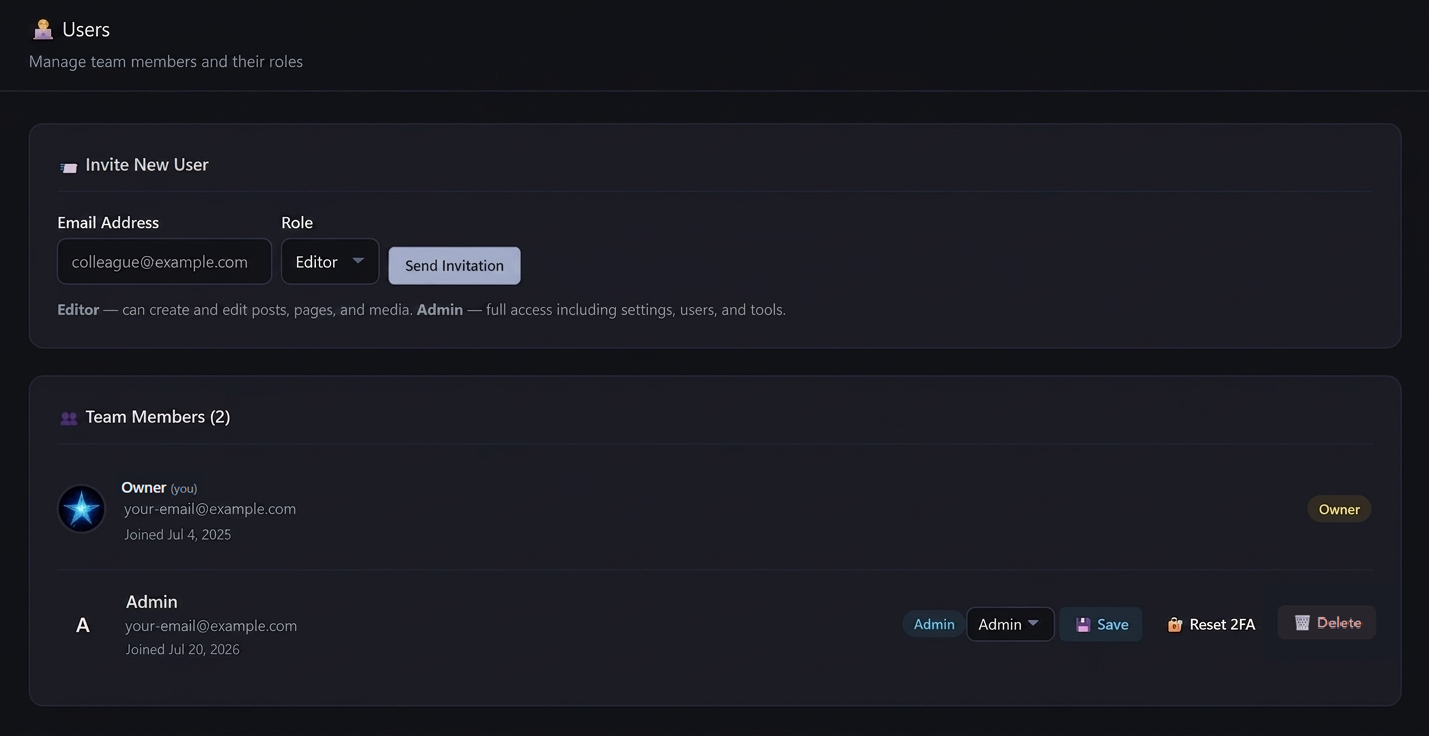
AliothPress manages team access through three roles: Owner, Admin, and Editor. New team members join through email invitations with expiring links and set their own passwords, so credentials are never sent in plain text. Every user picks a personal admin panel language from the 31 available and a light, dark, or system interface theme. Password changes invalidate all active sessions for that account, and user management actions are recorded in the audit log.
Three roles, clear boundaries
Owner is the account created during installation. It holds every permission, and some actions belong to it alone: installing plugins, restoring plugin files from a backup, inviting Admins, and promoting users to Admin.
Admin manages the site alongside the Owner: settings, user management, email configuration, backups, and maintenance tools, plus all content work. Admins invite and manage Editors.
Editor works with content: posts, pages, the page builder, media, and files. Settings, users, email, and tools stay out of reach.
The boundaries are enforced server-side on every route. Hiding a menu item is cosmetics. AliothPress checks the role on the request itself.
Email invitations with expiring links
Adding a team member takes an email address and a role. AliothPress sends an invitation link containing a random token that expires after 7 days. The invited person opens the link, chooses a username, and sets their own password against the configured password policy. No password ever travels by email, and unused invitations die on their own.
Only the Owner can send an Admin invitation. Admins invite Editors.
Per-user admin language and theme
Each user configures their own admin panel independently of the site and of other users:
- Interface language, any of the 31 supported languages. An Estonian editor and a Japanese editor work in the same admin panel, each in their own language.
- Interface theme: light, dark, or following the operating system.
- Profile fields: display name, bio, avatar, website, LinkedIn, GitHub. These feed the Person entity in the site's structured data, connecting published content to a verifiable author.
Account security
Password changes take effect everywhere at once: each account carries a session version, and changing the password increments it, ending every active session for that user. Accounts can also carry a second sign-in step: once the Owner enables two-factor authentication site-wide, each user activates it in their profile with an authenticator app, and an Owner or Admin can reset it from the Users page for a colleague who lost the device. Login attempts are rate-limited and brute-force protected, and logins, failures, and user management actions all land in the audit log. The full picture is in the Security article.
Key facts about user management in AliothPress
Three server-enforced roles (Owner, Admin, Editor), email invitations with 7-day expiring tokens and self-set passwords, per-user admin language from 31 options, per-user light/dark/system theme, profile fields that become author structured data, optional per-user two-factor authentication, and instant session invalidation on password change. User actions are audit-logged.