CMS One-Click Backup and Restore
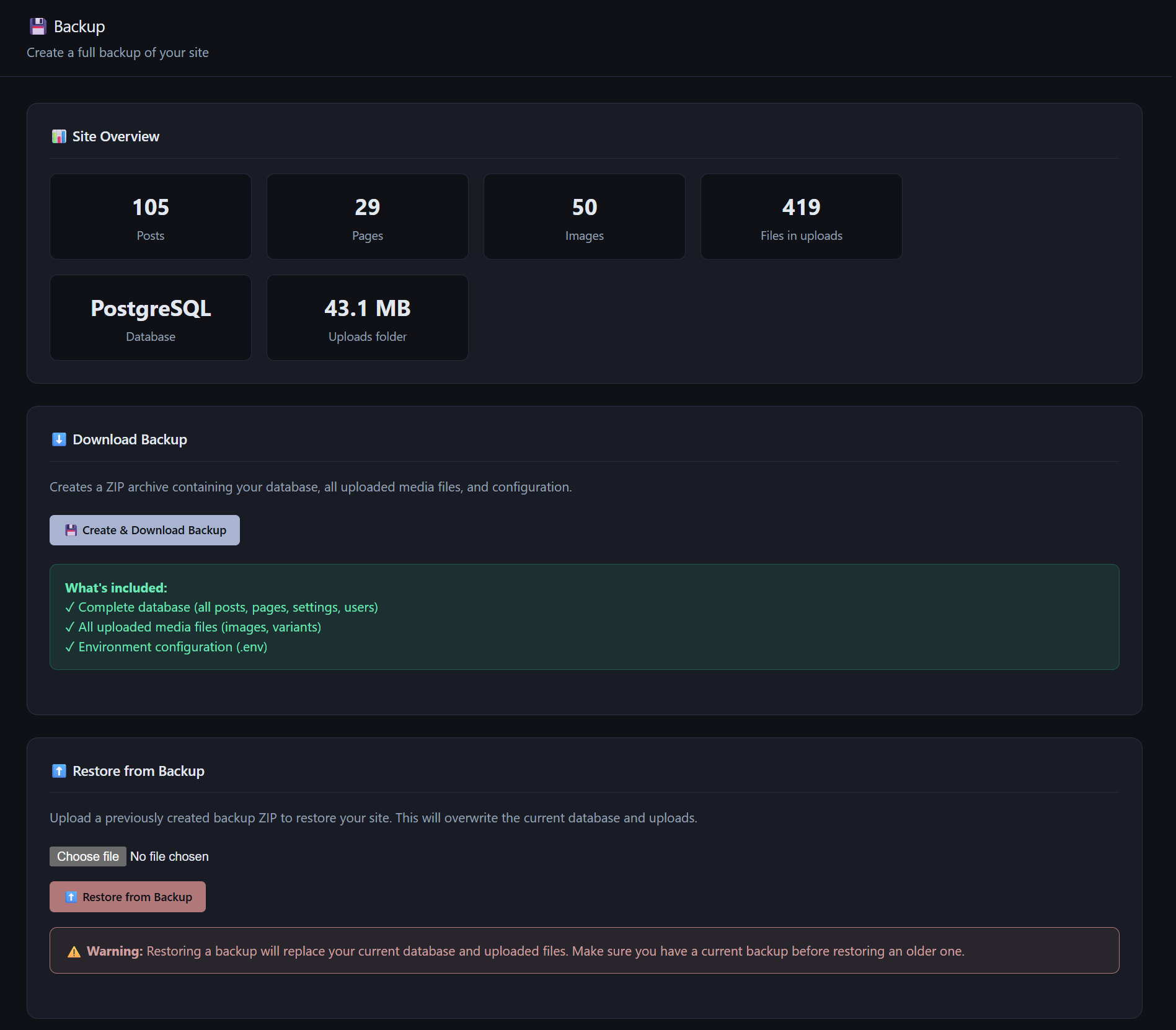
AliothPress creates a complete site backup in one click. The downloadable ZIP contains the database, every uploaded image and file, installed plugin code, and a copy of the configuration with secrets masked. Restore works the same way in reverse: upload the archive in the admin panel, and the database, uploads, and plugins come back. Both operations run from the browser, are restricted to the Owner and Admin roles, and are recorded in the audit log.
What a backup contains
One click on the Backup page produces a timestamped archive, aliothpress_backup_YYYYMMDD_HHMMSS.zip, holding four things:
- The database. With SQLite, the database file is copied directly. With PostgreSQL, AliothPress runs
pg_dumpand stores the SQL dump. Posts, pages, users, settings, forms, submissions, subscribers, redirects, and the audit trail are all inside. - All uploads. Every image with its generated WebP and AVIF variants, every document from the File Manager, favicons.
- Installed plugins. Plugin settings live in the database, but the plugin code lives on disk. The backup includes those files, so a restore on a fresh server brings plugins back working.
- Configuration. The
.envfile is included with sensitive values masked. Secret keys and passwords never leave the server in readable form, and the archive can be stored anywhere without exposing credentials.
The archive downloads straight to the browser. Nothing is sent to any external service, and no third party ever holds a copy of your site.
Restoring a site
On the same admin page, upload a backup ZIP and AliothPress restores its contents:
- The database is put back, replacing current content.
- Uploads are restored file by file, with a count reported when done.
- Plugin files are restored, gated to the Owner role, since plugin code is executable and its restore follows the same permission rule as plugin installation.
- The configuration file is restored when present in the archive.
The restore report lists exactly what came back. Creating and restoring backups are both written to the audit log with user and timestamp.
Migration between servers
Because the archive carries database, uploads, plugins, and configuration together, it doubles as a migration tool. Install AliothPress on a new server, upload the backup, review the masked values in .env, and the site is moved.
Key facts about AliothPress backup
One click produces a ZIP with the full database (SQLite copy or PostgreSQL dump), all uploads and their generated variants, installed plugin files, and a secrets-masked configuration. Restore runs from the same admin page, reports what was recovered, respects role permissions, and both directions are audit-logged. No external service is involved at any step.