Menus: Multilingual Navigation with Nested Submenus
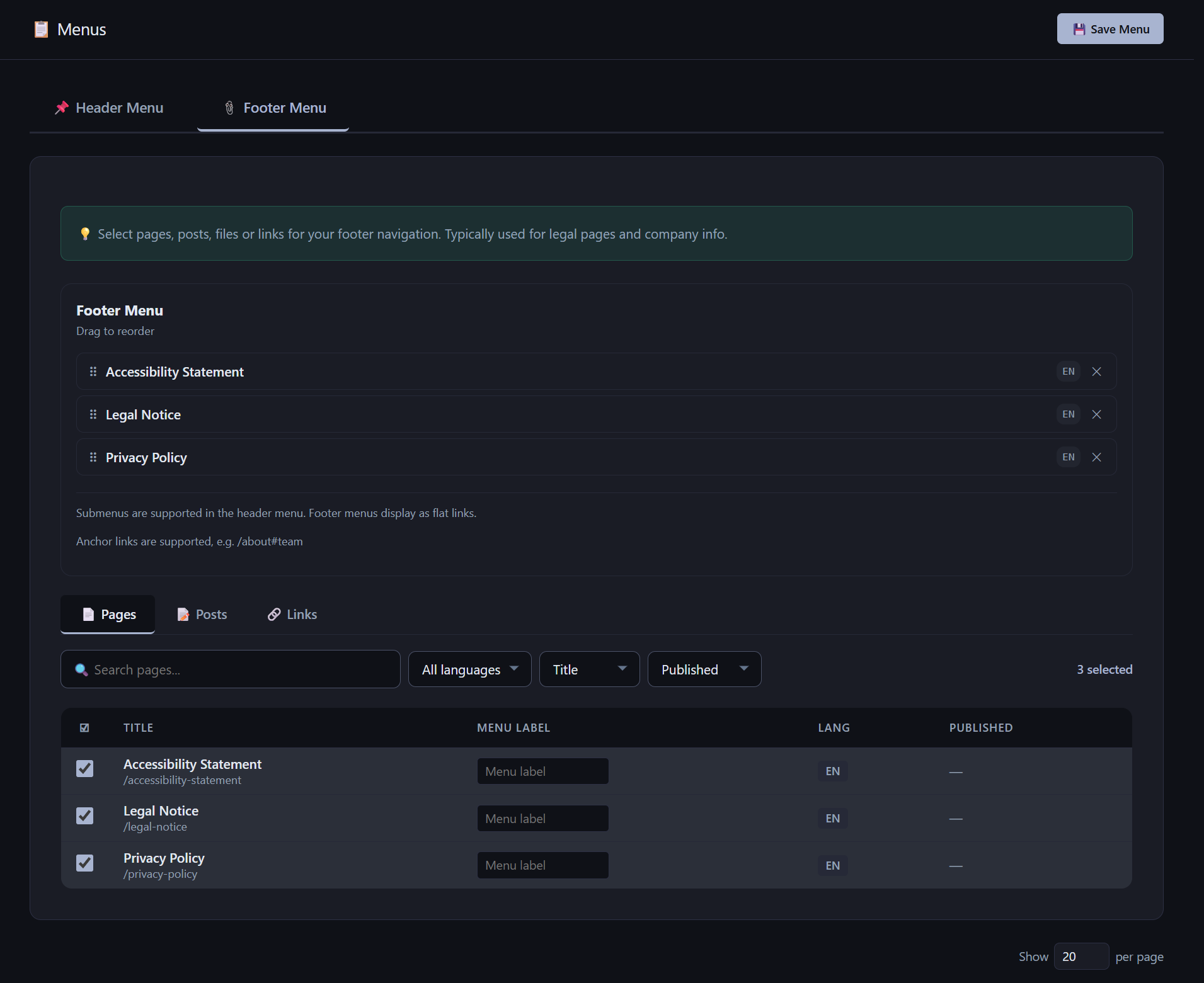
AliothPress uses one menu tree for all languages. You build the menu once, and each visitor sees it resolved into their language automatically: correct slugs, translated labels, and no links to unavailable content. The header menu supports up to 3 levels (top item → child → grandchild). The footer menu is intentionally flat. Menu items can be pages, posts, or custom links (including anchors and file URLs), each with per-language behavior. Drafts and missing translations are hidden per language, never site-wide.
How multilingual resolution works
You add a page or post to the menu by picking any of its language versions. The engine links the menu item to the content's translation group, not to one language.
For each visitor, every item is resolved independently:
| Situation | What the visitor sees |
|---|---|
| Translation exists and is published | The item, with that language's own slug and title |
| That language's version is a draft | Item hidden in that language only |
| No translation in that language | Item hidden in that language only |
| A parent item is hidden | Its whole branch (children and grandchildren) is hidden |
| The language is deactivated in Settings | Its pages return 404. Menus in other languages are unaffected |
Two useful consequences:
- It doesn't matter which language you clicked in the builder. Adding the German version of a page produces the same menu item as adding the English one. Adding both is safe: duplicates within the same level are merged automatically. The menu stores language-neutral references instead of language-specific pages.
- Un-drafting or re-activating a language restores its menu items instantly. Nothing needs to be rebuilt.
Nesting: three levels
The header menu supports three tiers:
Top item

├── Child

│   └── Grandchild

└── Child
In the builder:
- Drag an item right (≥ 30 px) over another item to nest it as that item's child. Works on top items (creates a child) and on children (creates a grandchild).
- Drag left to pop an item one level up.
- The ⤵ / ⤴ buttons do the same without dragging. The ⤵ button hides itself when nesting would exceed three levels.
- A branch always moves as a whole. Dragging, nesting, un-nesting, or removing a parent takes its entire subtree along.
- A fourth level cannot be created: not by drag, not by buttons, not by hand-crafted requests. The server enforces the same limit independently.
On the public site:
- Desktop: children appear in a dropdown. Grandchildren open in a side flyout (with keyboard support and ARIA attributes). Near the right screen edge the flyout opens to the left automatically.
- Mobile: the sidebar renders nested accordions: tap a parent to unfold children, tap a child with items to unfold grandchildren. No hover required.
The three-level cap is built into the engine. It is designed so that future official modules, such as a shop with deep category trees, can extend it without changes to menu logic.
Custom links, anchors, and files
The Links tab adds items that are not pages or posts:
- Per-language URLs and labels. Example:
/docs#getting-startedlabeled Docs for English,/dokumentation#erste-schrittelabeled Doku for German. In a language with no URL set, the item is hidden. - Anchor links stay language-aware: the language switcher maps
/docs#getting-startedto its German counterpart, at any nesting depth. - File URLs (e.g.
/press-kit.pdf) work as menu items, including as grandchildren, and supporttarget="_blank". - Only
https://,http://,mailto:,tel:, and relative/URLs are accepted.javascript:,data:, and protocol-relative URLs are rejected by the builder and, independently, by the server.
What happens when content changes
| Action | Menu behavior |
|---|---|
| Set one language version to draft | Item hidden in that language. Other languages unaffected |
| Delete one language version | Item re-anchors to a surviving published translation. Its submenu is preserved |
| Delete the last version of the content | The menu item and its entire branch are removed |
| Deactivate a language | Menus in remaining languages continue to work. Nothing is deleted |
| Reactivate the language | Items reappear in it with their original slugs and labels |
The menu builder stays functional in every one of these states: inconsistent language coverage across menu items is a supported, tested configuration, not an error. The menu builder works seamlessly in all these states, fully supporting partial translations across menu items.