Plugin Licenses in AliothPress: What's Free and What Needs a Key
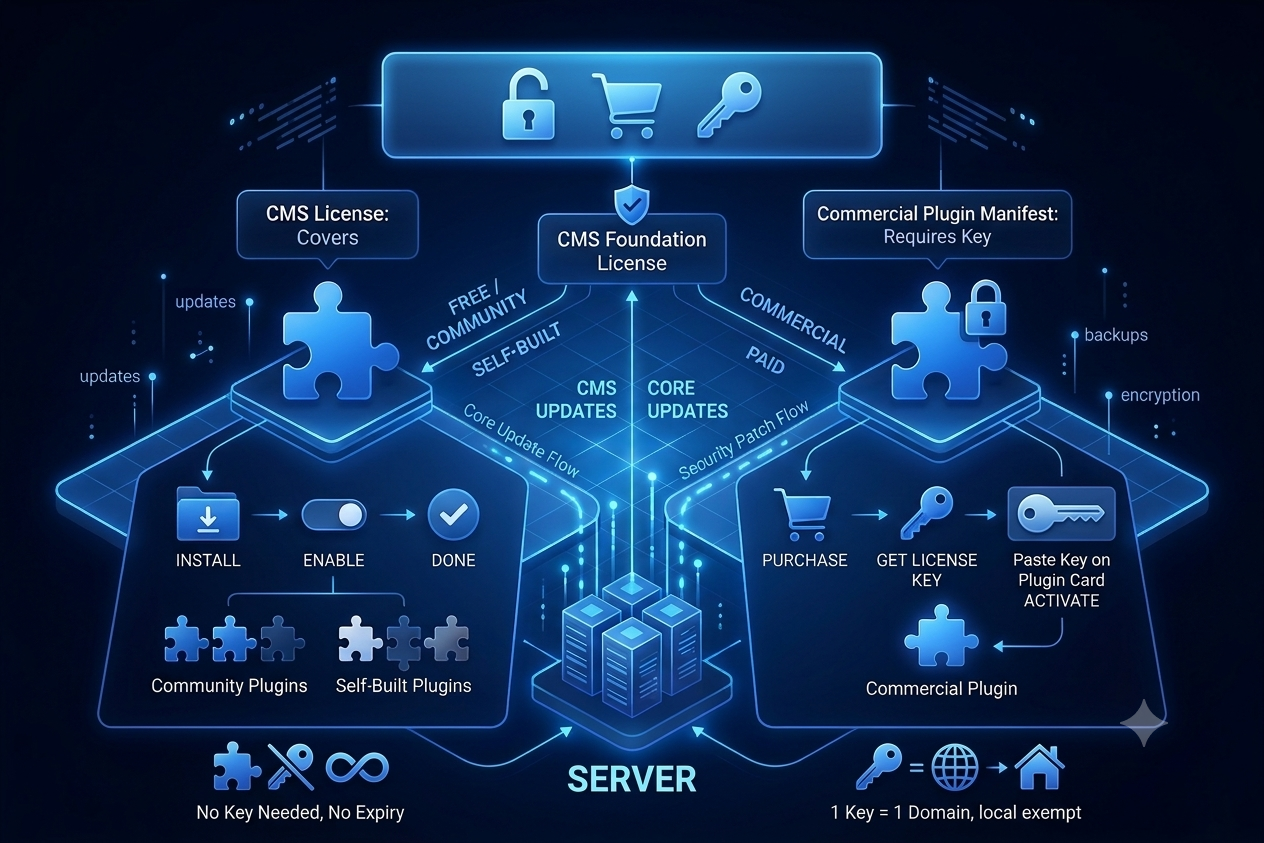
Licensing for AliothPress plugins follows one simple rule: your CMS license covers everything free, and paid plugins bring their own key. Free plugins, community plugins, and plugins you build yourself never ask for a key; the license your installation already has is all they need. Commercial plugins sold as separate products include a license key with the purchase, and you activate it in one field on the plugin's card.
The CMS license is the foundation
Plugins run on licensed AliothPress installations. This single requirement is what makes the whole ecosystem work: every plugin author, free or commercial, builds on the same licensed base, and every buyer of the CMS gets the full plugin system with no extra cost.
Free and self-built plugins
Install them, enable them, done. No key, no activation, no expiry. A plugin you wrote for your own site last night falls in this category, and so does anything shared freely by other developers.
Paid plugins
A commercial plugin declares in its manifest that it requires a license. Its card on the Plugins page shows a key field:
- Buy the plugin and receive your license key.
- Paste the key into the field on the plugin's card.
- Click Activate license.
Validation runs against the AliothPress license server, the same one your CMS talks to. One key activates one domain, and development environments like localhost are exempt from that binding, so you can test a paid plugin on your development setup without spending the activation.
Updates, backups, and license validity
Once you activate the key, it's stored with your site, encrypted and integrity-protected. Your plugin keeps working through CMS updates and plugin updates alike, and the license travels with your site's backup: restore on the same domain and everything comes back.
Installing and managing plugins day to day is covered in the plugins guide. Developers building a paid plugin can see how it declares its license and connects to the update server in the plugin development guide. The full documentation covers themes, pages, and everything in between.