AliothPress Plugin Development
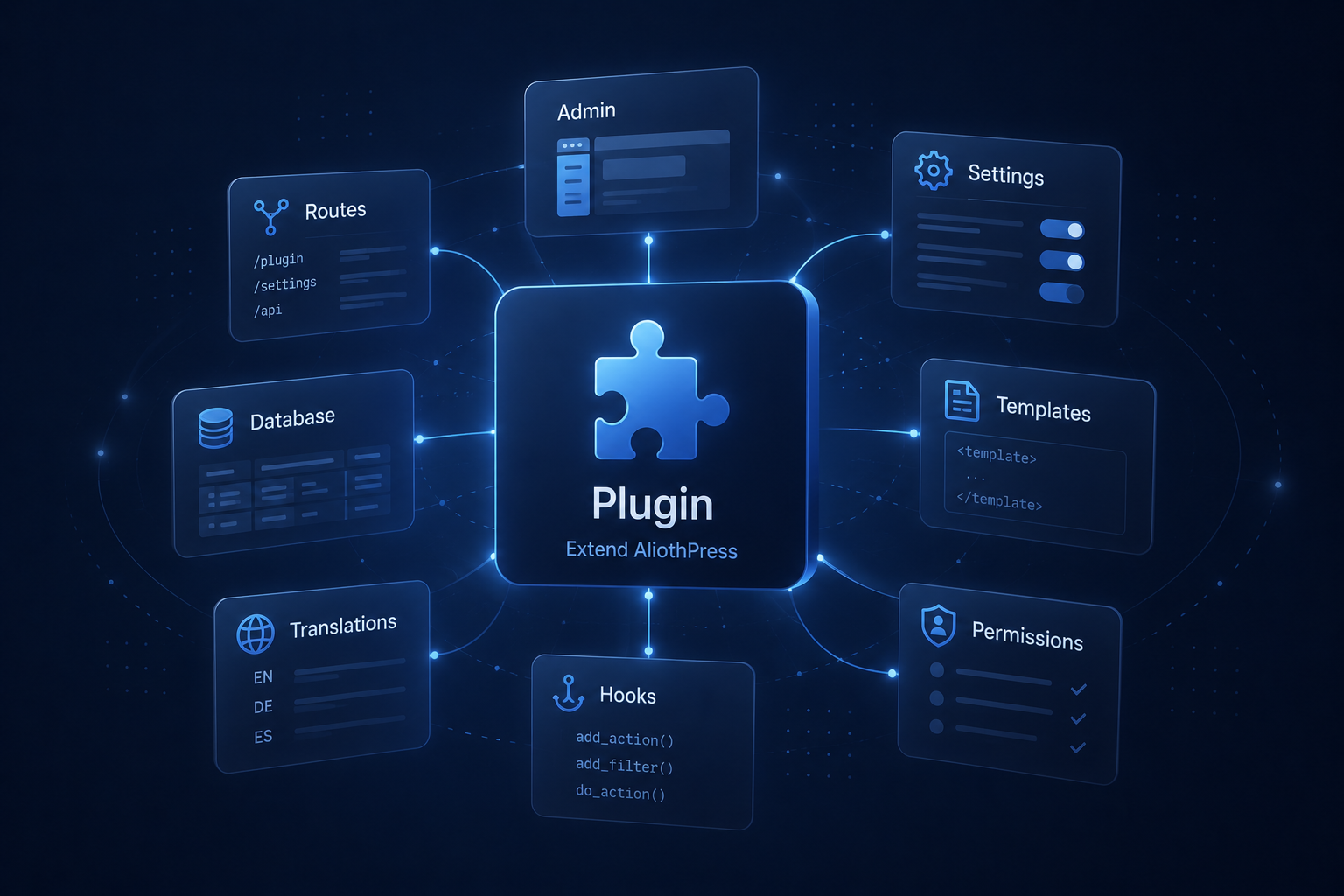
AliothPress supports installable plugins: self-contained folders of Python code that extend the CMS with new admin pages, public routes, database tables, and translations. Plugins can be sold as separate products with their own license keys, or written for free / personal use.
The rules of the game
- A valid core license is required. Plugins only load on licensed AliothPress installations. Without a core license the Plugins page still works, but nothing is loaded.
- A plugin may carry its own license. Set
"license_required": trueand a"product_id"in the manifest. The site owner then enters a plugin license key on the Plugins page; it is validated against the AliothPress update server (which proxies Gumroad / LemonSqueezy / Envato), encrypted with the site's SECRET_KEY, and integrity-protected with an HMAC signature, the same scheme the core license uses. - Free and third-party plugins are welcome. With
"license_required": falseno plugin key is needed. - Restart to apply. Python cannot safely unload code, so install / enable / disable / delete take effect after an app restart. The CMS schedules this restart automatically; a one-click *Restart now* button appears as a fallback only where the host can't restart on its own (for example, a local dev server).
- Installed code is trusted code. A plugin runs with the same permissions as the CMS itself. There is no sandbox. That is why installation is owner-only and uploads are validated before unpacking (zip-slip checks, size caps), and why the admin warns to install only from sources you trust.
Anatomy of a plugin
my_plugin/
  plugin.json        required — manifest
  __init__.py        required — must expose register(ctx)
  icon.png           optional — 64×64 icon, shown on the plugin's card
                     on Admin → Plugins
  i18n/              optional — en.json, de.json, ... + public.json
  templates/         optional — register via your Blueprint
  static/            optional — register via your Blueprint
  ... any other Python modules your plugin needs
Distribute as a ZIP of this folder (either the folder itself as the single top-level entry, or plugin.json at the ZIP root).
plugin.json
{
  "id": "my_plugin",
  "name": "My Plugin",
  "version": "1.0.0",
  "description": "What it does",
  "author": "Jane Doe",
  "author_url": "https://example.com",
  "license_required": false,
  "product_id": "",
  "min_cms_version": "2.3.0"
}
id:^[a-z0-9_]{2,50}$, must equal the folder name. It namespaces your settings, your Settings keys, and (by convention) your tables.description: shown on the Plugins page. To translate it, add the i18n key<id>.descriptionto your plugin's language files; when the plugin is active, the translated text is used and the manifest string serves as the fallback (same convention as theme descriptions).min_cms_version: ENFORCED: if the installation is older, the plugin is not loaded and shows a clear "please update the CMS" error instead.license_required+product_id: for commercially licensed plugins.product_idis sent to the update server so it knows which marketplace product to validate the key against.
__init__.py
def register(ctx):     # required — called once at startup
    ...

def migrate(ctx):      # optional — runs before register(), keep idempotent
    ...
The ctx API
| Member | Purpose |
|---|---|
ctx.app |
The Flask application |
ctx.db |
The shared SQLAlchemy instance: define models with ctx.db.Model; new tables are created automatically after plugin load |
ctx.plugin_id, ctx.plugin_dir |
Identity and absolute path of your plugin |
ctx.register_blueprint(bp) |
Add routes (admin or public) |
ctx.register_admin_nav(label_key, endpoint, icon) |
Sidebar entry in the "Plugins" section; label_key is an i18n key |
ctx.register_i18n_dir(path) |
Merge your translations into the admin/public i18n |
ctx.settings_get(key, default) / ctx.settings_set(key, value) |
Namespaced settings (plugin_<id>_<key> in the settings table) |
ctx.license_plan() |
'standard' / 'extended' / '' for licensed plugins |
Reserved setting names. The core keeps its own bookkeeping in the same plugin_<id>_... namespace, so these six names cannot be used as your setting keys: enabled, license_key_encrypted, license_last_checked, license_plan, license_sig, license_valid. They hold the plugin’s enable state and license data. Overwriting enabled in particular disables your whole plugin at the next restart. ctx.settings_set() rejects these names with a ValueError, so a collision fails loudly at development time instead of corrupting a live site. Pick another name (e.g. tracking instead of enabled); to read your license plan, use ctx.license_plan().
Core services without importing core
Two core modules are safe to import from plugin code: models (Settings, Page, Post, User, AVAILABLE_LANGUAGES, ...) and i18n (t, t_for, pt, pt_for). Everything else comes through ctx.app:
| Need | Get it from |
|---|---|
| CSRF object | ctx.app.extensions['csrf'] |
SECRET_KEY (e.g. to decrypt the stored SMTP password the same way the core does) |
ctx.app.config['SECRET_KEY'] |
| Logging | ctx.app.logger |
| Request/response hooks | @ctx.app.after_request, etc. |
Never import app from a plugin. When the CMS is started as python app.py, that file runs as __main__: importing app executes the whole file a second time as a new module: a second Flask app is built, and because the plugin loader's state is shared, plugins after yours get registered into the wrong app instance. The symptom is confusing and far from the cause: a BuildError for another plugin's endpoint on every admin page. Under gunicorn (app:app) the same import happens to work, which makes the bug easy to ship and hard to catch.
Public endpoints that visitors POST to
The global CSRFProtect blocks any POST without a token. A visitor-facing API (a review form, a vote button) has no session to carry one, so exempt the view and compensate with the core Forms recipe (honeypot field + per-IP rate limit backed by a timestamp query on your own table):
@public_bp.route('/api/submit', methods=['POST'])
def submit():
    ...

csrf = ctx.app.extensions.get('csrf')
if csrf is not None:
    csrf.exempt(submit)
Injecting into public pages
The plugin API has no template hooks, on purpose: hooks in templates would break with theme updates. The proven pattern (used by Pop-up Manager and Review Manager) is post-processing the outgoing HTML:
@ctx.app.after_request
def _my_plugin_inject(response):
    try:
        if (response.status_code != 200 or response.direct_passthrough
                or 'text/html' not in (response.content_type or '')):
            return response
        # ... skip paths, then response.get_data(as_text=True),
        #     modify, response.set_data(html)
    except Exception:
        ctx.app.logger.exception('my_plugin: injection failed')
    return response
Rules that keep it safe:
- Whole handler in try/except: a broken plugin must degrade to "does nothing", never to "breaks every page".
- Skip what isn't yours:
/admin,/api,/static,/setup,/media, and your own blueprint prefix (or you will inject into your own admin pages). - Previews are public templates under an admin path.
/admin/pages/<id>/previewand/admin/posts/<id>/previewrender the same templates visitors see. Overlays (pop-ups) should stay out of previews; content widgets (reviews) should render there; otherwise the owner previews a draft, sees the feature "missing", and never publishes. Match^/admin/(pages|posts)/(\d+)/preview$explicitly. - Placement anchors: for a widget inside the content flow, either replace a marker the owner puts into the content (e.g.
[mein-marker], matched with and without a wrapping<p>), or insert before the closing tag of<article class="ap-page ...">, the shared public template of every theme (themes are CSS-only), so the position is stable across all of them. Fall back to before</body>. - Overlay assets (a floating element rather than in-flow content) are appended before
</body>. See Pop-up Manager.
The built-in rich text editor (AliothEditor)
The core ships its own editor (three synchronized tabs: Visual / Markdown / HTML) and plugins can reuse it instead of building their own toolbar (the historical reason Pop-up Manager carries one). It is a plain script + stylesheet pair, fully self-hosted, zero external requests, themed by the live --adm-* admin palette so light/dark mode works without any plugin code.
In your admin template, include the shared partial and initialize on any <textarea>:
{% include 'admin/editor_assets.html' %}
<script>
AliothEditor.init({
    selector: '#my_plugin_content',   // a <textarea>; stays the form field
    height: 400,
    imagePicker: window.openImagePicker,  // core media library (optional)
    colors: false    // true only where color is CONTENT (e.g. emails)
});
</script>
The textarea remains the thing your form posts: the editor hides it and keeps it in sync, so your save handler does not change. Sanitize the submitted HTML server-side exactly like the core does (sanitize_html() runs on every core save; do the same for your own fields, since the client-side cleaning in the editor is a UX convenience, not a security boundary).
API surface, stable for plugins:
| Call | Purpose |
|---|---|
AliothEditor.init(opts) |
Attach to textarea(s) matching opts.selector |
AliothEditor.get(id) |
Instance for textarea #id (or null) |
.getContent({format}) |
'html' (canonical), 'md', or 'text' |
.setContent(html) |
Replace content (runs the soft cleaner) |
.insertHtml(html) |
Insert raw HTML at the caret in the Visual pane |
AliothEditor.triggerSave() |
Sync all instances into their textareas |
AliothEditor.dialog({title, fields}) |
Themed modal prompt (--adm-* styled, light/dark): returns a Promise with {name: value} or null; never use native window.prompt in admin UI |
AliothEditor.cleanHtml(html, {strict}) |
The two cleaning profiles, reusable |
AliothEditor.htmlToMd(html) / .mdToHtml(md) |
Converters, reusable |
Init options beyond the basics (selector, height, readonly, colors, imagePicker):
toolbar: array of item names ('undo','redo','blocks','bold','italic','underline','strikeThrough','inlineCode','colors','align','lists','createLink','unlink','insertImage','insertTable','codeBlock','insertHr','removeFormat', plus'sep'separators). Show ONLY what your own server-side sanitizer will keep, since a button whose output gets stripped on save is a bug report waiting to happen.blockOptions: tags for the block-format select, e.g.['p', 'h2', 'h3', 'blockquote']whenh1is reserved for the page title.custom: your own toolbar buttons:[{ name, label, title, onClick(editorInstance) }]. Combine with.insertHtml()for insertable widgets; see Pop-up Manager's theme buttons for the full pattern (atomiccontenteditable="false"elements with click-to-edit).
Two things to know before relying on it:
triggerSave()is already global. The admin base template calls it for everyform[data-inline-save]submit, so if your form uses the core inline-save mechanism you get syncing for free. For a plain POST form, call it yourself in a submit listener.readonly: truelocks all three tabs and hides the toolbar, the same mode core pages use when a page belongs to the Page Builder. In readonly the content is never re-serialized, so it round-trips byte-for-byte.
The editor's own UI strings live in the core aeditor i18n section (all 31 languages) and load through the shared partial, so your plugin ships no editor translations.
Multilingual plugins
Two different problems, two different patterns:
- Owner-created content (pop-ups, forms): use the core recipe:
translation_group+languagecolumns, one row per language, and resolve the right version fromg.current_languageon public requests. Group-level settings live on every row; sync them on save. - Visitor-created content (reviews, comments): a visitor's text cannot be "translated into a group". Instead, stamp each record with the language of the page it was submitted from (
g.current_language), and filter the public display by the language of the page being read. Never try to detect the language from the text itself. Aggregates (counts, average ratings) usually should span all languages, since a rating does not depend on the language it was written in.
Strings: admin UI via t('my_plugin.key') / t_for(key, lang) from your i18n/<lang>.json files; visitor-facing strings via pt('key') / pt_for(key, lang) from i18n/public.json. Keep the key set identical across your language files (a 5-line parity check in your build script pays for itself). Dates: reuse the core format_date / format_datetime Jinja filters: localized patterns for all 31 languages, including RTL, come with the core; for visitor-facing dates a neutral YYYY-MM-DD is also a legitimate choice.
Conventions that keep plugins good citizens
- Prefix your tables:
plugin_<id>_something.db.create_all()is global; unprefixed names risk collisions with core or other plugins. - Namespace your i18n keys under your plugin id:
{ "my_plugin": { "nav_label": "..." } }→t('my_plugin.nav_label'). Core keys always win on collision, so you cannot override core UI text. Missing languages fall back to English automatically, so ship at leasten.json. - Public strings go in
i18n/public.jsonusing the core format ({ "key": { "en": "...", "de": "..." } }) and are read withpt(). - Column migrations are yours.
db.create_all()only creates missing tables. If v2 of your plugin adds a column, do theALTER TABLEinmigrate(ctx), idempotently (check first, then alter), the same pattern as the coremigrate.py. Field-tested shape:
def migrate(ctx):
    from sqlalchemy import inspect as sa_inspect, text
    db, table = ctx.db, 'plugin_my_plugin_things'
    insp = sa_inspect(db.engine)
    if table not in insp.get_table_names():
        return  # fresh install — db.create_all() builds the full schema
    cols = {c['name'] for c in insp.get_columns(table)}
    with db.engine.begin() as conn:
        if 'new_col' not in cols:
            conn.execute(text(f'ALTER TABLE {table} ADD COLUMN new_col TEXT'))
- Nullable columns only:
ADD COLUMNwith the same statement works on SQLite, PostgreSQL and MySQL. For a datetime column, useTIMESTAMPondb.engine.dialect.name == 'postgresql'andDATETIMEelsewhere. - CSRF: all POST routes are protected by the global CSRFProtect. Include
<input type="hidden" name="csrf_token" value="{{ csrf_token() }}">in your forms. - Auth: use
flask_login(@login_required,current_user) and the role helpers (current_user.is_owner(),.can_access_settings()). - Dark/light mode & 15 themes: build public output on the theme CSS variables (
--ap-color-*,--ap-space-*,--ap-radius), never on your own hardcoded palette, and prefer logical properties (margin-inline-start,border-inline-start,text-align: start) so RTL languages mirror for free. Semantic classes alone don't style anything: a theme-styled public button needs the full core set:ap-btn ap-btn--primary ap-btn--md(plus your own class); reusing the core.ap-form__*classes gives your forms the exact look of the Form Builder. In the admin, reuse the existing classes (settings-section,btn btn-primary,form-group,badge-*,help-text) and usevar(--adm-on-primary)/var(--adm-on-error)for text you place on primary or danger backgrounds, since these tokens are WCAG-AA-correct in both admin modes, hardcoded whites are not. - Visitor text is hostile. Store it as plain text, escape it on every output, including inside JSON-LD: a review containing
</script>breaks out of a<script type="application/ld+json">block unless you emitjson.dumps(data, ensure_ascii=False).replace('</', '<\\/').
Lifecycle summary
- Owner uploads ZIP on Admin → Plugins (or drops the folder into
plugins/manually). - Plugin appears as Disabled. Owner enables it (and activates its license key if the manifest requires one).
- The CMS schedules a graceful restart automatically (a Restart now button appears as the fallback when automatic restarts are not available on the host).
- On startup: core license checked → enabled + licensed plugins are imported →
migrate(ctx)→register(ctx)→db.create_all(). - Core updates never touch
plugins/(it is on the updater's protected paths list), so plugins survive CMS updates. Plugin updates: publish a release on the update server (latest.json+ versioned ZIP) and the user's admin panel offers a one-click, checksum-verified update with your changelog, or the user uploads a new ZIP of the sameidby hand. Settings and license are kept either way. - Catalog. Every plugin published on the update server also appears in the "Available plugins" block on Admin → Plugins, where users install it with one click (same checksum-verified pipeline as updates). The catalog card is built from optional
latest.jsonfields:"name"(display name; falls back to the id) and"description", plus anicon.pngplaced next tolatest.jsoninreleases/plugins/<id>/. All three are optional and fully backward-compatible.
Selling a plugin
Two paths, both supported:
Independently, with no server involvement. A plugin ships as a plain ZIP: sell it through any channel you like, and buyers install it via Install from ZIP on their Plugins page (keep "license_required": false, since the built-in key field is not for this path). If you want key enforcement, implement it inside your own plugin: a key field on your plugin's settings page, validated in your code against your marketplace's license API. Plugins run with full permissions, so nothing in the core stands in the way. Updates on this path are new ZIPs shipped to your buyers; uploading a newer version of the same id replaces the files and keeps settings and data.
Through the official catalog, by arrangement. Plugins accepted onto the distribution's update server get the built-in machinery: the license field on the plugin card, validated server-side against your Gumroad / LemonSqueezy / Envato product via the server's PLUGIN_PRODUCTS mapping (the sale itself happens on your marketplace account, the server only validates keys), one-click checksum-verified updates with your changelog, and a card in the Available plugins catalog of every installation pointed at that server. For this path, set "license_required": true and the agreed "product_id" in the manifest, and provide latest.json + a versioned ZIP per release (add "name", "description" and an icon.png next to latest.json so the catalog card looks the part). Contact the distribution owner to get a product mapped. Acceptance is at their discretion.
An installation has exactly ONE update server, set in its own config; plugins cannot bring their own, so the catalog and the built-in license field only ever cover what that server's owner has published or mapped. Everything outside it lives on the independent path above.