CMS Image Optimization: WebP, AVIF, srcset
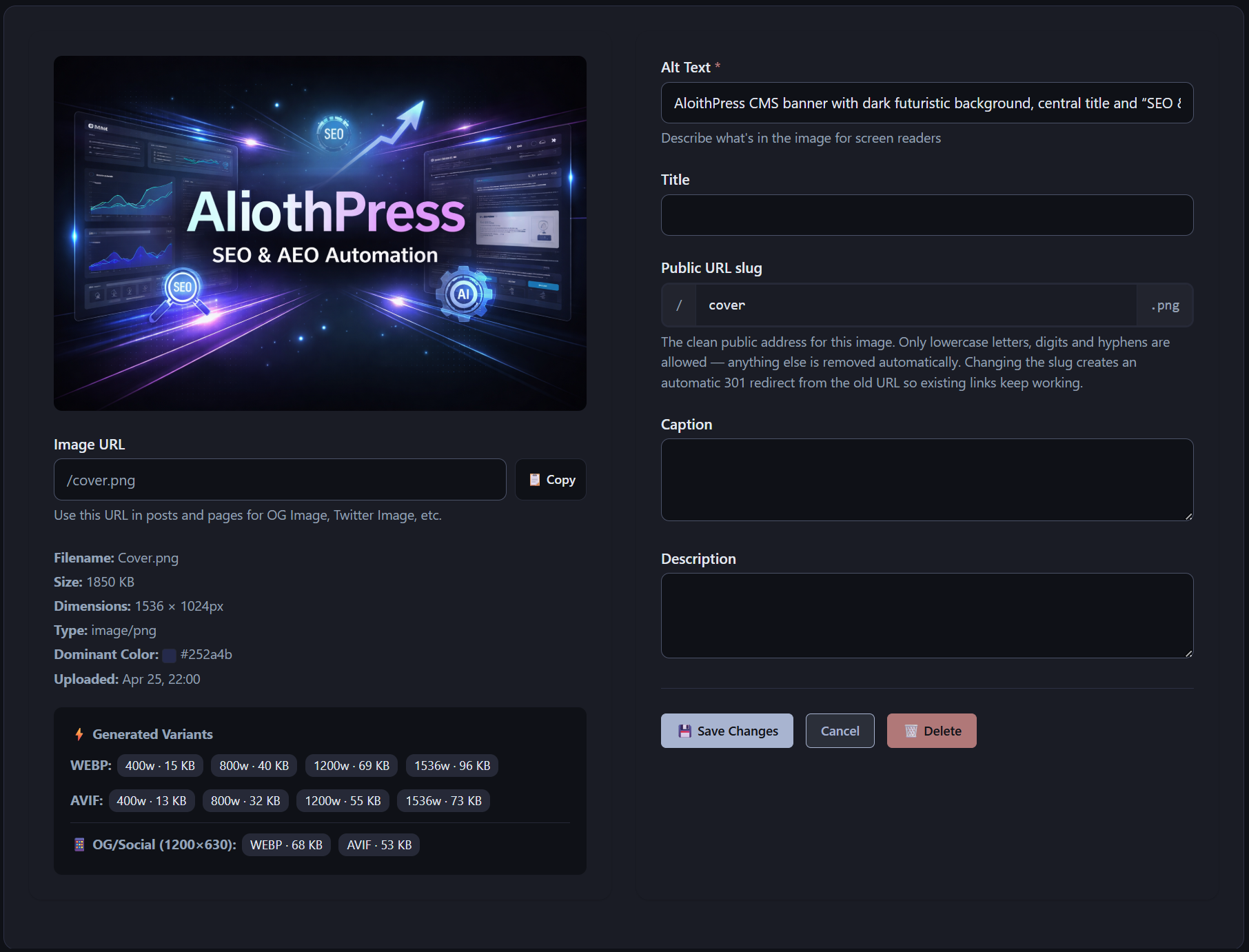
AliothPress optimizes every image at upload time. One upload produces responsive WebP and AVIF variants at four breakpoints, a 1200×630 social sharing crop, a dominant color placeholder, and a clean public URL. EXIF metadata is stripped, orientation is corrected, and SVG files are sanitized. Documents live in a separate File Manager with short download URLs, and the Favicon Manager generates every required icon size from a single source image. All of it runs on your own server, and no image ever passes through an external CDN.
What happens when you upload an image
The processing pipeline runs automatically on every upload:
- Auto-rotation. Orientation data from the camera is applied, so photos display upright everywhere.
- EXIF stripping. Location, device, and timestamp metadata is removed from the published file. Visitors download the picture, never your camera's GPS coordinates.
- Resizing to the configured maximum dimension.
- Responsive variants. WebP and AVIF versions are generated at 400, 800, 1200, and 1920 pixels wide, tuned for the quality-to-size sweet spot of each format.
- Social crop. A 1200×630 center crop is produced in WebP, AVIF, and JPG for link previews on social networks and messengers.
- Dominant color extraction. The image's average color becomes a CSS placeholder, so the layout reserves the correct space and color before the image arrives. This directly protects the Cumulative Layout Shift score.
AVIF and WebP through picture and srcset
Public pages embed images through picture elements with full srcset attributes. Each browser picks the best combination it supports: AVIF where available, WebP as the next choice, and the exact width the viewport needs. A phone on mobile data downloads the 400px AVIF, a 4K desktop gets the 1920px variant. The server prepares everything once at upload. Delivery costs no runtime processing.
Clean public URLs
Every image gets a short slug-based URL at the site root:
/sunset.jpg          the processed original

/sunset-800w.webp    800px WebP variant

/sunset-1200w.avif   1200px AVIF variant

/sunset-og.jpg       1200×630 social crop
These short URLs are used consistently in page HTML, Open Graph tags, structured data, the sitemap, and RSS feeds. Internal storage paths never appear in public markup, and right-clicking any image copies a clean address.
SVG safety
Uploaded SVG files are sanitized on the server: script tags, event handlers, javascript: URLs, and external references are removed before the file is stored. SVG stays a first-class format for logos and icons without becoming an attack vector.
Metadata and organization
Each image carries a title, caption, description, and alt text, editable in the library. The grid view supports search and pagination, and a shared image picker makes the whole library available inside posts, pages, and the page builder.
File Manager for documents
Documents and downloads have their own manager, separate from images. It accepts PDF, DOC, DOCX, XLS, XLSX, ZIP, RAR, TXT, and CSV, each with a title and description. Files are served through short slug URLs such as yoursite.com/annual-report.pdf. PDF, TXT, and CSV open directly in the browser. Archive and office formats download. The list view shows file type icons and human-readable sizes, with search and pagination.
Favicon Manager
Upload one image and AliothPress generates the complete favicon set: a multi-size favicon.ico (16, 32, and 48 pixels), PNG icons at 96, 192, and 512 pixels for Android and PWA use, a 180-pixel apple-touch-icon.png for iOS, and a web manifest. An SVG source is sanitized and served as a vector favicon alongside the generated raster sizes. ICO, PNG, and SVG sources are all accepted.
Key features of image and file handling in AliothPress
The AliothPress media system covers the full lifecycle of site assets: automatic WebP and AVIF variants at four breakpoints, social sharing crops, dominant color placeholders, EXIF stripping, SVG sanitization, clean slug URLs, a document manager with short download links, and one-upload favicon generation. Everything is processed and served from your own domain.