CMS with 100 PageSpeed Score in Every Category and 4/4 Agentic Browsing
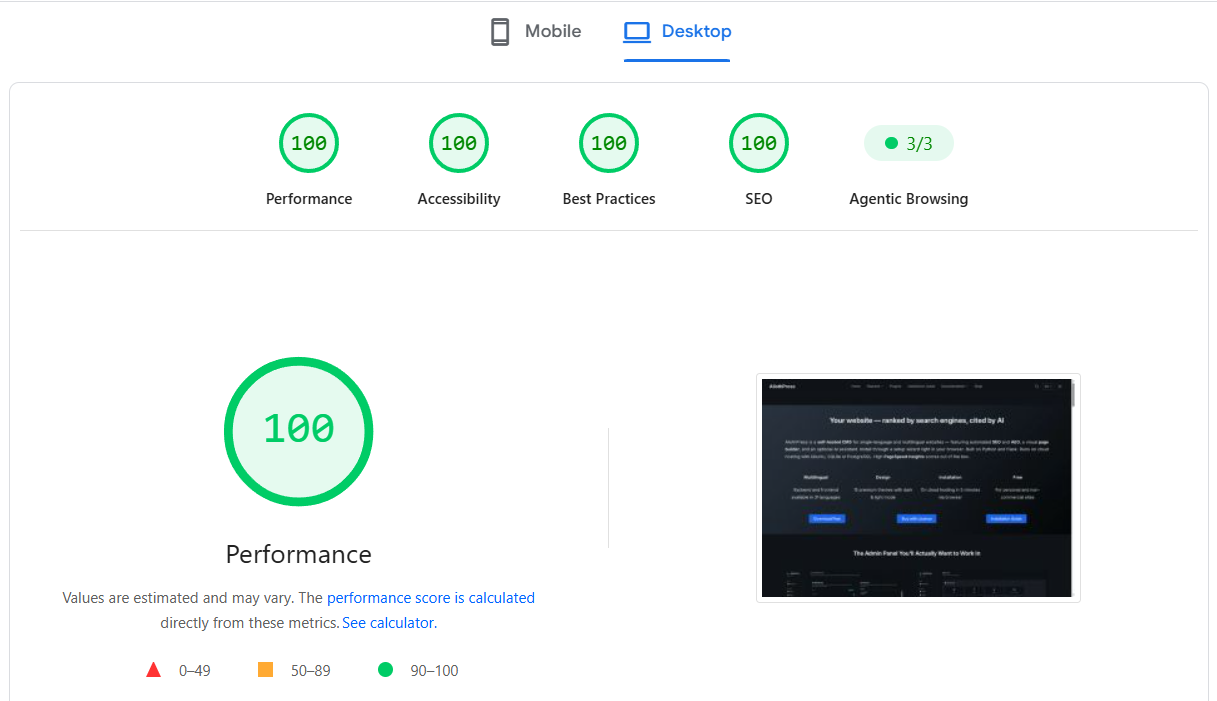
AliothPress scores 100 in all four Google PageSpeed Insights categories (Performance, Accessibility, Best Practices, and SEO) and passes 4/4 in Agentic Browsing, the category Google added in 2026 to grade sites for AI agents. These are not scores of a tuned demo page. This site runs on AliothPress, and the results come from how the engine builds every page, on every theme, in both dark and light mode.
The fifth score: Agentic Browsing
In May 2026, Google added a new category to Lighthouse and PageSpeed Insights. It measures something the other four never did: whether an AI agent can read your page, understand it, and act on it. It reports a pass ratio instead of a score. Three checks by default:
- A clean accessibility tree: can software tell what your buttons, links, and fields are
- A stable layout: does the page hold still while an agent reads and clicks
- A valid llms.txt: is there a machine-readable site summary at the domain root
Most sites fail at least one. AliothPress passes all three out of the box: the same engineering that produces the four 100s covers the agent checks too.
Performance: 100
- Every image optimized on upload: resized, converted to WebP and AVIF, served via
srcsetat four breakpoints. Each device downloads the smallest file it can use - Zero third-party requests: no font CDNs, no external scripts, no trackers. Nothing to wait for except your own server
- Self-hosted fonts, split by subset: WOFF2 files served per script. A page in English never downloads Cyrillic glyphs
- Video facade: embeds show a locally cached thumbnail. The heavy player iframe loads only after the visitor clicks play
- Pure CSS themes: no JavaScript framework, no build step, no render-blocking bundles
- Smart cache headers: immutable static files, cache-busted automatically on update
Accessibility: 100, on all 15 themes, both modes
- Native elements over div-soup: accordions are
<details>, the video facade is a real<button>, forms use labeled inputs - Keyboard navigation in every interactive component: slideshow arrows, lightbox Escape, focus states
prefers-reduced-motionrespected: autoplay, ticker scroll, and animations switch off for visitors who ask- Correct
langper page and RTL layout for Arabic and Hebrew content
Accessibility here is the same structure AI agents rely on: agents read the accessibility tree, the exact map screen readers use. Build it clean for humans and the agents get it for free.
Layout stability: the invisible half of the score
Cumulative Layout Shift ruins both scores and agent actions: a button that moves is a button an agent misclicks. AliothPress holds the layout still by construction:
- Explicit dimensions on every image the media library serves
- Dominant color placeholders: each uploaded image gets its dominant color extracted. The exact-size colored box is there before the pixels arrive
- Zero late-loading third-party widgets: nothing external arrives to push content around
Best Practices and SEO: 100
- Security headers on every response, HTTPS via one-click Let's Encrypt, sanitized HTML and SVG
- Canonical URLs, full meta control, hreflang in HTML and sitemap
- Structured data as a Schema.org
@graph: Organization, Person, Article, FAQPage, Speakable - Auto-generated sitemap, editable robots.txt, and llms.txt: the third one is exactly what the new agent audit checks
Why this is hard to retrofit
Perfect scores are usually a project: audit, fix, regress, repeat, because most platforms bolt optimization on top of themes and plugins that fight it. AliothPress inverts that. The image pipeline, the font strategy, the zero-third-party rule, the native-element themes, and the generated llms.txt are the defaults. There is nothing to install and nothing to tune. A fresh site starts at the scores on the screenshot and stays there as you add content.
Speed, accessibility, and agent-readiness are the same discipline: build pages that machines and humans can both parse without guessing. AliothPress applies that discipline by default, which is why one screenshot shows five green results at once. Run your own test after installing: download CMS free or start with the installation guide.